FOR YOUTUBE CREATORS & CONTENT TEAMS
Paste a YouTube link. See what your audience wants next.
Get a clear report on how viewers reacted, what they want more of, what they pushed back on, and whether your next script fits recent audience demand.
Free to try. No YouTube Studio access required.
- Find the comments that actually matter
- Spot patterns across recent videos
- Check if your next script is a good fit
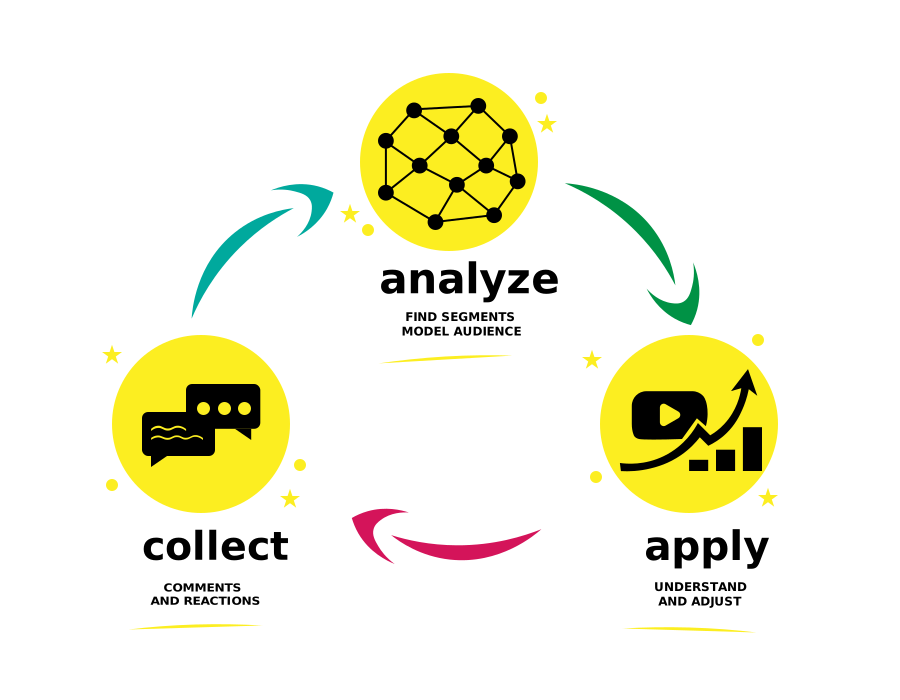
One link in. Clear next steps out.
Audience reaction summary
See what viewers liked, disliked, and questioned
Top viewer demands
Find what people want next
Recurring patterns
Compare reactions across recent videos
Script fit check
See if your next video idea matches audience demand
Comments are full of signal. But hard to use.
YouTube creators get feedback every day. The problem is not getting comments. The problem is turning them into better content decisions.
Too much noise
The best feedback gets buried under jokes, repetition, emotion, and off-topic comments.
Too much guessing
You can tell people reacted. But you cannot easily tell what matters most.
Too much manual work
Reading comments one by one takes time and still leaves you unsure what to do next.
Instead of manually sorting through reactions, you get a clear view of what to address in your next video.
Make your next video with more confidence
Use real audience feedback to decide what to explain, what to improve, and what to make next.
Know what viewers care about
See the themes, complaints, questions, and praise behind the comments.
Spot what keeps coming up
Find repeated audience demands across your latest uploads.
Plan follow-up videos faster
Turn comment chaos into clear next-step ideas.
Check scripts before you publish
See if your topic and angle match what your audience wants right now.
How it works
No complex setup. Start with a public YouTube link.
- 1
Paste a video link
Start with one YouTube video.
- 2
We analyze audience reaction
We group comments into themes, emotions, audience types, risks, and opportunities.
- 3
Get a simple report
See what your audience wants more of, what they pushed back on, and what to do next.
- 4
Check your next script
Paste a title, outline, or script and see if it fits recent audience demand.
You do not need to read hundreds of comments or build your own spreadsheet.
What your report includes
A clear report built for content decisions, not just comment summaries.
Quick summary
The main takeaway from audience reaction
Top audience groups
Who is engaged, loyal, skeptical, or asking for more
What viewers are saying most
The biggest repeated themes and requests
Risks to fix
Complaints or tensions that may hurt trust or retention
Opportunities to act on
Topics, angles, and follow-up ideas with strong demand
Next video recommendations
What to address next and how to frame it
Script fit result
Whether your next video idea is a strong fit, weak fit, or needs work
Example of the kind of insight you get
What happened:
Viewers enjoyed the entertaining tone, but many wanted more practical explanation.
What that means:
The content created engagement, but left a gap in expert depth.
What to do next:
Make a follow-up video that answers the biggest open question directly.
Script fit check:
Strong topic. Weak framing. Add clearer explanation and objection handling.
Why creators use it
Save time
Stop manually reading endless comment threads.
Reduce guesswork
Use actual audience reaction instead of intuition alone.
Make stronger follow-ups
Create videos that respond to what viewers already care about.
What you can do
Analyze one video
Understand how your audience reacted to a specific upload.
Compare recent videos
See patterns across your last 5–6 videos.
Check a new script
Test a title, outline, or script against recent viewer demand.
Get next-step recommendations
See what to address, expand, explain, or avoid next.
Built for real YouTube workflows
Made for creators and teams
Useful for solo creators, editors, managers, and agencies.
Built around real outputs
You get a report you can actually use in planning, not just charts to interpret later.
Focused on decisions
It helps answer a simple question: what should we do next?
Questions people usually have before trying it
Do I need YouTube Studio access?
Is this only for one video?
Can this help before publishing?
Who is this for?
What do I get in the free version?
Will this take a lot of setup?
Know what your audience wants next — and try it free
Start with one YouTube link and get a clear report you can use to plan stronger videos.
Free to try. No complex setup. Start with a public YouTube link.
See what viewers want more of, what they push back on, and what your next script should do better.